
VAS Account Number Presentation & Same-Name Deposit Controls
This page describes how Virtual Account Numbers (VANs) must be presented and used by clients integrating with the BCB Virtual Account System (VAS) to ensure compliance with contractual and regulatory requirements.
In particular, it outlines the client-side obligations under the VAS Agreement to:
“take reasonable and proper steps to ensure that funds deposited into any Sub-Accounts from external accounts of Sub-Account Holders originate in each case from an account in the name of the relevant Sub-Account Holder (and no other person)”
This requirement helps prevent third-party deposits, reduce fraud risk, and ensure proper source-of-funds validation for all incoming payments.
Demo
iframe
Presentation Requirements
When displaying or communicating VAS account numbers to Sub-Account Holders, the following presentation and control requirements must be followed.
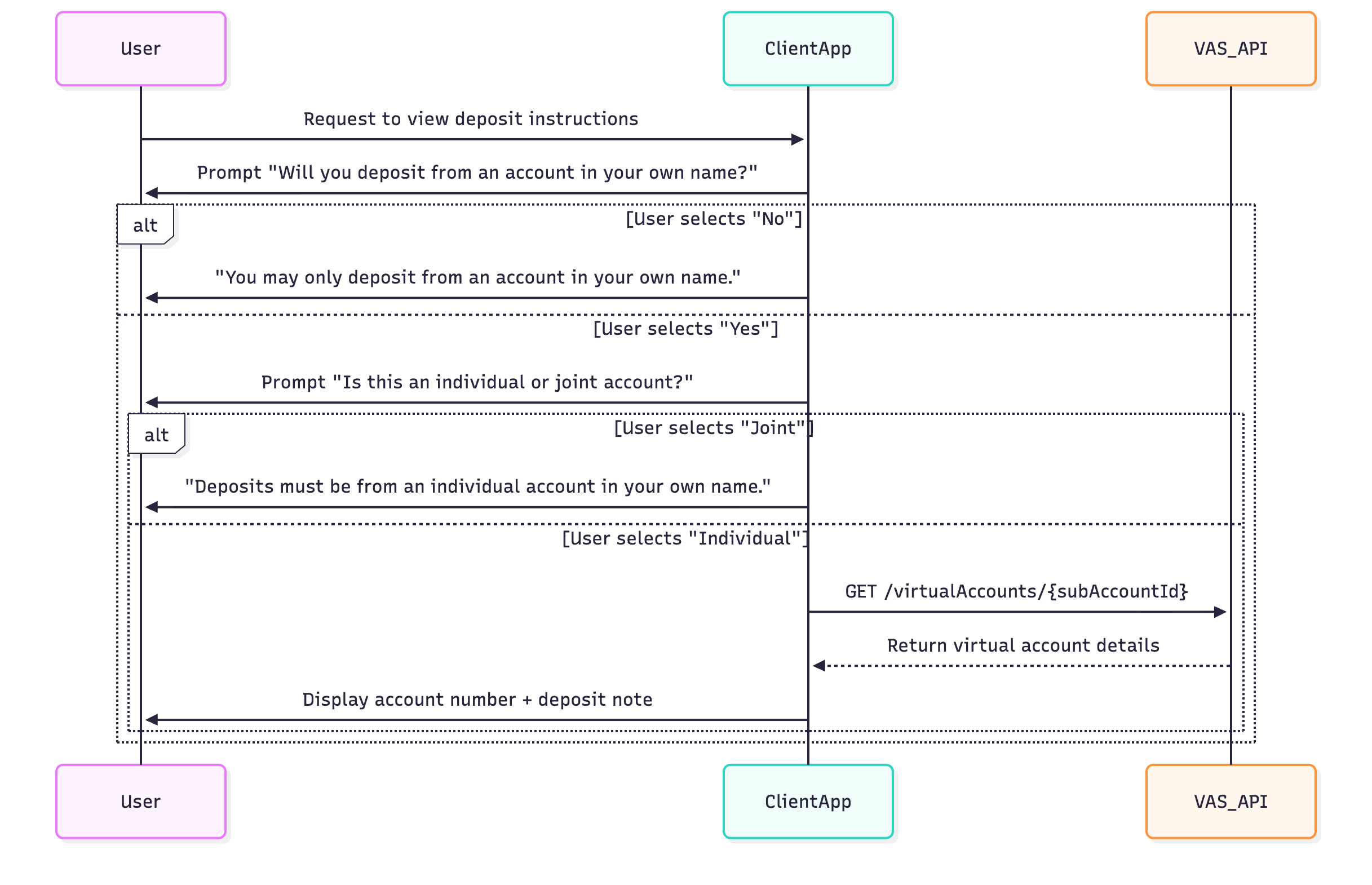
Account Display Flow
Step 1 – Confirmation Prompt (Origin of Funds)
Before showing a Sub-Account Number or deposit instructions, the interface must require the user to confirm (you can change the wording):
"Will you be depositing from an account in your own name?"
- If “Yes” → proceed to Step 2.
- If “No” → show a message:
- "Sorry — you may only deposit from an account in your own name. Please transfer from an account registered in your name."
This confirmation step must be explicit, non-skippable, and recorded in logs (for compliance audit).
Step 2 – Account Type Verification
After the user confirms they are depositing from an account in their own name, prompt them to select:
"Is this an individual account or a joint account?"
- If “Individual Account” → display the Virtual Account Number.
- If “Joint Account” → display:
- “Deposits must originate from an individual account in your own name only.”
This step ensures adherence to the same-name requirement and prevents funding from joint, third-party, or pooled accounts.
Step 3 – Account Number Presentation
Once confirmed:
Display the Virtual Account Number.
Include clear wording:
- "This account number is for deposits only from your own personal bank account. Transfers from third-party or joint accounts may be rejected."
Logging & Monitoring Requirements
Clients must retain evidence that:
- The user confirmed same-name origin before any deposit instructions were displayed.
- Deposits were made from accounts matching the Sub-Account Holder’s name.
BCB reserves the right to:
- Conduct spot checks on transaction data to validate compliance.
- Reject or reverse any payment that does not meet the same-name requirement.